RTO vs RPO: A Practical Checklist for DR Planners

RTO is how long you can be down; RPO is how much data you can afford to lose. Recovery Time Objective (RTO) measures forward from a disruption: the maximum time your systems can stay offline before business impact becomes unacceptable. Recovery Point Objective (RPO) measures backward: the maximum data loss you can tolerate, expressed as the gap between your last clean backup and the moment of failure. Both metrics are required for complete disaster recovery planning, and they must be set independently. A system can carry a 15-minute RPO and a 4-hour RTO at the same time, and that combination is perfectly valid.
Your immediate next step: add RTO and RPO columns to your asset register, then schedule a business impact analysis (BIA) workshop with finance and operations before you touch any technical design. Standards like ISO 22301 and NIST SP 800-34 Rev. 1 both anchor target-setting in business risk tolerance, not infrastructure capability. Shieldiqcyber's GRC platform can store those decisions, map them to controls, and keep the evidence audit-ready from day one.
Quick orientation:
- RTO answers: "How long until we're back online?"
- RPO answers: "How far back is our last clean data point?"
- Both are business SLAs first, technical targets second.
- Setting either without a BIA produces targets that either cost too much or fail during an actual incident.
Table of Contents
- What is the difference between RTO and RPO?
- How do you set RTO and RPO targets step by step?
- How do you map RTO and RPO to application tiers?
- Which technical approaches actually achieve your targets?
- What changes for cloud architectures and ransomware recovery?
- Why RTO and RPO must be business-driven, not just technical targets
- Key Takeaways
- The gap most DR plans miss
- Shieldiqcyber makes RTO/RPO governance faster and audit-ready
- Authoritative sources and further reading
What is the difference between RTO and RPO?
The two metrics address different recovery dimensions, which is why RTO and RPO are often misunderstood as interchangeable. They are not. Here is the side-by-side breakdown practitioners actually use when scoping recovery SLAs.
| Dimension | RTO | RPO |
|---|---|---|
| Definition / purpose | Maximum acceptable time a system can be offline after a disruption | Maximum tolerable data loss, measured as time since last viable backup |
| What it measures | Duration of downtime (forward from the outage) | Data loss window (backward to the last clean recovery point) |
| Typical units | Minutes, hours | Minutes, hours |
| How to calculate / set | Start from Maximum Tolerable Downtime (MTD); subtract buffer for complications | Identify data change rate and cost of recreating lost records; match backup frequency |
| Example impact | E-commerce checkout: RTO = 2 hours means orders resume within 2 hours of failure | E-commerce checkout: RPO = 1 minute means at most 1 minute of transactions can be lost |
| Technical solutions | Hot standby, automated failover, DR site, active-active architecture | Continuous data protection (CDP), synchronous replication, frequent snapshots |
| Cost / complexity | Near-zero RTO demands redundant active-active infrastructure and significant operational overhead | Near-zero RPO demands high-bandwidth synchronous replication and expanded storage |
Core differences in plain language:
- RTO is owned by infrastructure and operations teams; RPO is driven by backup administrators and data architects.
- Reducing RTO requires faster restoration capabilities. Reducing RPO requires more frequent data capture.
- Tighter targets on either metric increase resource use, replication overhead, and operational complexity.
- RTO impacts surface immediately when systems go down. RPO impacts only become visible after restoration, when you discover which transactions are missing.
- A system with hourly backups carries a one-hour RPO regardless of whether the actual restore takes 30 minutes or 8 hours.
The directional difference matters for team ownership. Infrastructure teams drive RTO through restoration speed. Backup administrators drive RPO through replication frequency. Conflating the two leads to gaps in your DR plan.
How do you set RTO and RPO targets step by step?
Target-setting is a business conversation first. Recovery targets should be driven by business stakeholders using a BIA, not handed down from IT. Here is a repeatable process.
Step 1: Map processes and identify dependencies. List every application and business process. Note which downstream systems depend on each one. A payroll database that feeds three other systems has a much shorter effective RTO than its technical restore time suggests.
Step 2: Conduct stakeholder interviews. Ask business owners two questions: "How long before this outage costs us unacceptably?" and "How much data loss can we absorb before we can't reconstruct what happened?" Finance, operations, and legal all have different answers. Capture them.
Step 3: Quantify financial and reputational impact. Assign a cost-per-hour figure to each system. If your e-commerce platform generates $50,000 per hour and the business can absorb $200,000 in lost revenue before facing serious consequences, your Maximum Tolerable Downtime (MTD) is 4 hours. Per NIST SP 800-34 Rev. 1, your RTO must sit below that MTD with a buffer for complications. Set it at 3 hours.
Step 4: Calculate RPO from data change rate. Identify how many transactions or records your system processes per hour. If each lost transaction requires 15 minutes of manual re-entry, losing 4 hours of data costs roughly 1,000 labor-hours for a system processing 1,000 transactions per hour. If that labor cost exceeds your backup infrastructure investment, tighten the RPO.

Step 5: Propose draft targets per application. Assign a draft RTO and RPO to each system based on steps 1 through 4. Group them into tiers (see the next section).
Step 6: Validate with IT and operations. Check whether your proposed targets are technically achievable with current infrastructure. If your business requires a 1-hour RTO but restoration takes 8 hours, you have an infrastructure gap, not a target conflict.
Step 7: Run a cost-benefit check. Near-zero targets scale costs non-linearly. Active-active architectures, synchronous replication, and hot standby systems are expensive. Confirm that the cost of achieving the target is proportionate to the cost of missing it.
Step 8: Get formal approval and document everything. Record the decision owner, the BIA result that justified the target, acceptance criteria, and the testing schedule. This documentation is what auditors ask for.
Decision checklist for BIA workshops:
- What is the revenue or operational cost per hour of downtime for this system?
- What is the cost of recreating one hour of lost data?
- Are there regulatory SLAs (HIPAA, PCI DSS, SOC 2) that set a hard ceiling?
- What manual workarounds exist if the system is down for 2 hours? 8 hours?
- Who is the named decision owner for this target?
Pro Tip: Run a tabletop exercise immediately after setting initial targets. You will almost always find that the proposed RTO is technically achievable but the business process to resume operations is not ready. Fix the process gap before you finalize the target.
Targets are not permanent. Test them at least annually, revise after any significant infrastructure change, and get re-approval from the original business stakeholder when numbers shift.
How do you map RTO and RPO to application tiers?
Tiered recovery reduces cost by concentrating resources on the systems that genuinely cannot wait. Assign aggressive targets only where business need justifies the expense.
Tier 0 (mission-critical): Systems where any outage immediately halts revenue or patient safety. Think e-commerce checkout, payment processing, or hospital EHR systems.
- RTO: very short target, often minutes
- RPO: very minimal data loss tolerance, often minutes
- Technical approach: active-active failover, synchronous replication, hot standby
- Example: An online retailer's checkout service. Every minute of downtime is a measurable revenue loss. RPO near zero because transaction data cannot be reconstructed.
Tier 1 (business-critical): Systems that affect operations significantly but have short-term manual workarounds. Payroll databases, CRM platforms, and core ERP modules fall here.
- RTO: measured in a few hours
- RPO: measured in minutes to about an hour
- Technical approach: warm standby, asynchronous replication, frequent snapshots
- Example: A payroll database. Payroll runs weekly, so a 2-hour RTO and 30-minute RPO are defensible. Staff can work from cached reports for a short window.
Tier 2 (non-critical): Systems where outages are inconvenient but not operationally damaging. Internal email, CAD file storage, and development environments typically land here.
- RTO: measured in several hours to about a day
- RPO: measured in several hours to about a day
- Technical approach: daily backups, off-site copies, restore from tape or cloud storage
- Example: An internal file share for CAD drawings. A 24-hour RTO is acceptable because engineers can work from local copies during a short outage.
Dependency callout: A Tier 1 system that feeds a Tier 0 system inherits the Tier 0 target. If your payment processor depends on a customer identity service, that identity service cannot carry a 4-hour RTO just because it is not customer-facing. Map dependencies before you finalize tiers.
Regulatory requirements can force a tier upgrade. HIPAA, PCI DSS, and SOC 2 all carry implicit or explicit recovery expectations. A system in scope for PCI DSS that you have classified as Tier 2 may need to move to Tier 1 once you factor in compliance obligations.
Which technical approaches actually achieve your targets?
The technology you choose determines what RTO and RPO are physically achievable. Here is a practical map of common options and their trade-offs.
- Periodic full backups (daily/weekly): RPO = up to 24 hours; RTO = hours to days depending on data volume. Low cost, high restore time. Suitable for Tier 2 systems only.
- Incremental backups (hourly): RPO = 1 hour; RTO = hours. Moderate cost. Reduces restore window compared to full backups but still requires sequential restore chains.
- Snapshots (every 15–30 minutes): RPO = 15–30 minutes; RTO = 30–90 minutes. Common in virtualized environments. Fast to create, but snapshot chains can become corrupted.
- Asynchronous replication: RPO = seconds to minutes; RTO = minutes to hours. Replicates data to a secondary site with a short lag. Lower bandwidth cost than synchronous, but a small data loss window exists.
- Synchronous replication: RPO = near zero; RTO = minutes. Writes to both primary and secondary simultaneously. Requires low-latency links; expensive over long distances.
- Continuous data protection (CDP): RPO = seconds; RTO = minutes. Captures every write in real time. Highest storage and bandwidth cost, but enables point-in-time restores to any moment before an incident.
- Warm standby / DR site failover: RPO = minutes to hours depending on replication; RTO = 15–60 minutes. A pre-provisioned environment that can be promoted quickly.
- Active-active failover: RPO = near zero; RTO = near zero. Traffic splits across two live environments. Highest cost and operational complexity. Required for Tier 0 systems with sub-minute targets.
Cost scales non-linearly as targets approach zero. Moving from a 4-hour RTO to a 1-hour RTO is a manageable infrastructure investment. Moving from 1 hour to 5 minutes often requires a full architecture redesign.
Pro Tip: Validate recovery objectives three ways: a tabletop walkthrough to check the runbook, a live failover test to confirm technical restore time, and a data completeness check to verify the RPO. Run all three at least annually. Automation that triggers restore verification after every backup cycle gives you continuous confidence between formal tests.
Testing overhead is real. Active-active and CDP architectures require more frequent validation because their complexity introduces more failure modes. Build testing schedules into your DR plan from the start, not as an afterthought.
What changes for cloud architectures and ransomware recovery?
Cloud environments introduce variables that on-premises DR plans often miss, and ransomware fundamentally changes the recovery calculus for both metrics.
Cloud-specific factors:
- Snapshot frequency is configurable but not always set correctly by default. A cloud volume with daily snapshots carries a 24-hour RPO regardless of the provider's marketing language.
- Multi-zone replication protects against availability zone failures but not region-wide events. Multi-region replication is required for true geographic resilience, and it adds latency and cost.
- Provider SLAs define uptime, not your RTO. Your RTO depends on how fast you can execute a failover, not how fast the provider restores their infrastructure.
- Eventual consistency in distributed cloud databases means your RPO may be longer than your replication interval if writes have not yet propagated. Document this in your architecture design.
- Per AWS Well-Architected guidance, cloud architecture designs should document provider limits and include playbooks for provider-side failures.
Ransomware recovery implications:
Traditional DR assumes a clean recovery environment. Ransomware does not give you that. Encrypted backups, compromised credentials, and contaminated snapshots can invalidate your entire recovery chain. Typical ransomware RTO ranges from 24 to 72 hours for critical systems, compared to 4–8 hours for traditional infrastructure failures.
- Immutable backups and air-gapped offline copies are the baseline defense. A backup that ransomware can reach and encrypt is not a backup.
- Establish verified clean recovery points before an incident. Know which snapshots predate a potential compromise window.
- Recovery rehearsals must include a malware verification step. Restoring an infected backup meets your RTO on paper while reinfecting your environment.
- Data integrity checks after restore confirm that recovered data is complete and unmodified.
For cloud-based incident response coordination, a documented incident response plan that specifies who declares recovery, who validates data integrity, and who communicates to stakeholders is as important as the technical restore procedure.
Why RTO and RPO must be business-driven, not just technical targets
The most common failure mode in DR planning is letting IT set recovery targets in isolation. Business-driven SLAs grounded in BIA results produce targets that finance will fund and operations will actually use. Purely technical targets produce numbers that look good on paper and fail during incidents.
There is also a subtler problem: even when IT meets the RTO, the business can still be effectively down. If the order management system is restored in 2 hours but the warehouse team has no manual procedure to process orders during that window, the RTO is technically met and operationally meaningless. BCP and DRP must be coordinated so that business process continuity and IT recovery move together.
Governance checklist for documented RTO/RPO decisions:
- Named decision owner for each target
- BIA result that justifies the target (cost-per-hour figure, regulatory driver, or customer SLA)
- Acceptance criteria (what "recovered" means for this system)
- Testing schedule and method (tabletop, live failover, restore verification)
- Audit evidence location (runbook version, test timestamps, owner sign-off)
Automated GRC tools reduce the friction of maintaining this documentation. Shieldiqcyber's platform stores risk registers, maps assets to controls, and generates audit-ready reports, so the evidence an auditor expects is captured continuously rather than assembled under deadline pressure. For teams working toward ISO 27001 or NIST CSF alignment, having RTO/RPO decisions stored alongside control evidence is a significant time saver during certification reviews.
What an auditor expects to see:
- A current asset register with RTO/RPO values assigned per system
- BIA documentation showing the business justification for each target
- Test records with timestamps, pass/fail results, and owner sign-offs
- Evidence of annual review and re-approval
Key Takeaways
RTO and RPO are independent business SLAs: set them from BIA results, validate them with technical testing, and document every decision with named owners and audit evidence.
| Point | Details |
|---|---|
| RTO vs RPO direction | RTO measures forward from a disruption; RPO measures backward to the last clean data point. |
| Set targets from BIA | Business stakeholders, not IT alone, must justify each target using cost-per-hour impact and regulatory requirements. |
| Tier your applications | Apply near-zero targets only to Tier 0 mission-critical systems; Tier 2 systems can tolerate 8–24 hour RTO and RPO windows. |
| Test all three ways | Validate with a tabletop walkthrough, a live failover, and a data completeness check at least annually. |
| Shieldiqcyber simplifies governance | Shieldiqcyber's GRC platform stores RTO/RPO decisions, maps assets to controls, and produces audit-ready evidence without manual assembly. |
The gap most DR plans miss
The RTO-continuity gap is the single most underestimated problem in disaster recovery planning. IT restores the system on time. The business is still down because nobody prepared the manual workaround.
Here is how to avoid it. When you run your BIA, ask business owners not just "how long can you tolerate downtime?" but "what would your team actually do for the first two hours if this system were unavailable?" The answers reveal whether your RTO is a real operational target or just a technical benchmark. A 2-hour RTO with no manual procedure is a 2-hour RTO in name only.
For prioritization, a quick-value approach works well: rank your top 10% of applications by revenue impact per hour, then apply your most aggressive targets there. Everything else gets tiered down. This keeps your DR budget focused where it matters and prevents the common mistake of applying expensive active-active architectures to systems that could tolerate a 4-hour restore.
One practical example: a mid-sized logistics company found that their warehouse management system met its 1-hour RTO in testing, but the operations team had no documented manual process for logging inbound shipments during that window. A governance review caught the gap before a real outage did. The fix was a two-page manual procedure, not an infrastructure upgrade. That is the kind of coordination that only happens when engineering and operations review DR plans together.
Shieldiqcyber makes RTO/RPO governance faster and audit-ready
Running a BIA, setting defensible targets, and keeping the evidence organized is the part of DR planning that most teams let slip. Spreadsheets get stale, test records live in email threads, and auditors ask for documentation that nobody can find quickly.
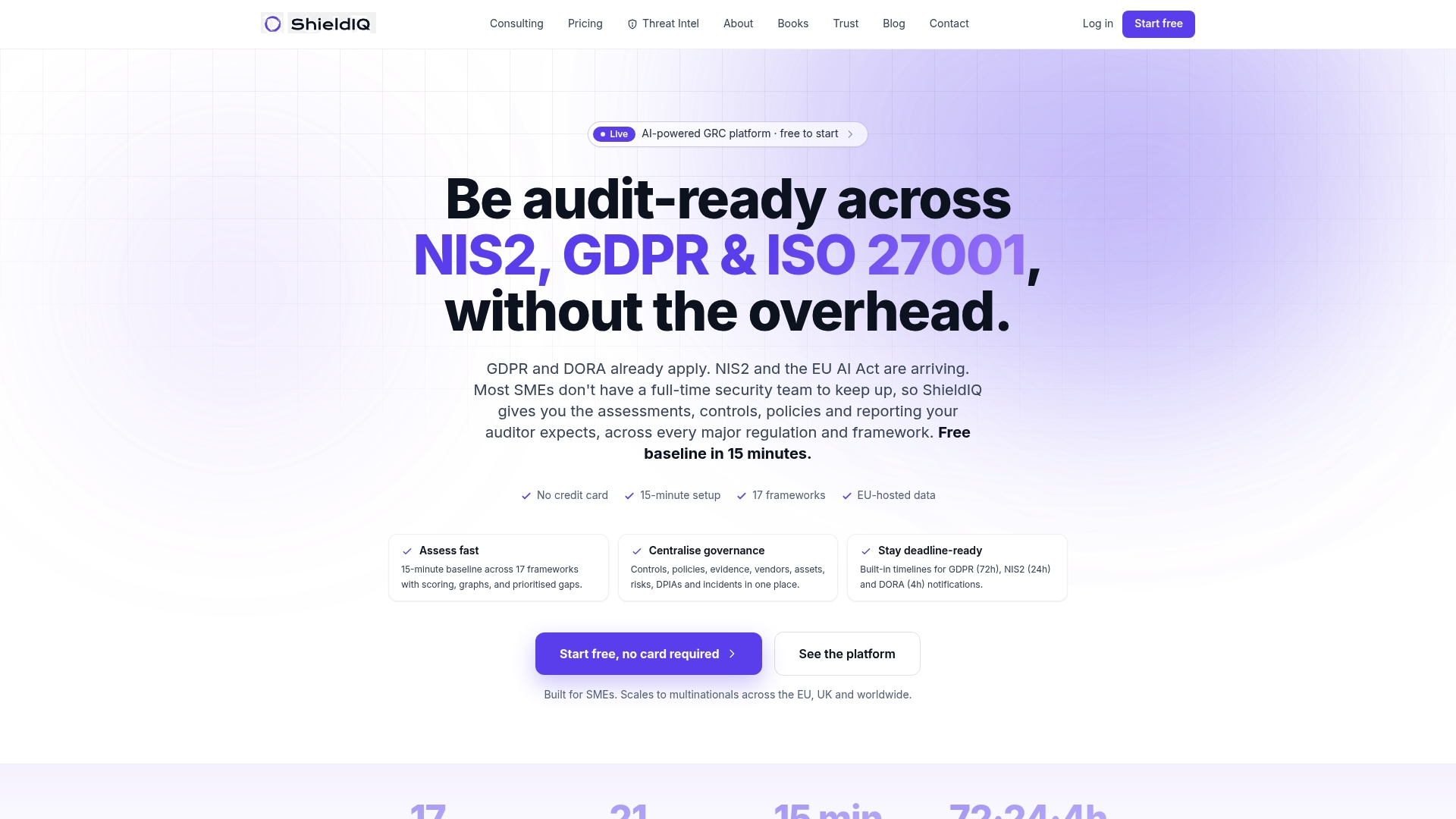
Shieldiqcyber's GRC platform gives IT and compliance teams a single place to store asset registers with RTO/RPO values, map those assets to controls, capture test runbooks and timestamps, and generate audit-ready reports on demand. For teams with regulatory obligations under NIS2, ISO 27001, or DORA, that evidence trail is not optional. Shieldiqcyber's consulting services can also run a rapid BIA workshop with your stakeholders, translate the results into documented targets, and prepare you for your next audit. Manual registers and spreadsheets work until they don't. Automation means your DR governance stays current without a dedicated team member managing it full-time. Start with the platform or book a consulting engagement to get your RTO/RPO targets documented and defensible.
Authoritative sources and further reading
The sources below back the claims in this article and are worth bookmarking for deeper work on DR planning and governance.
- NIST SP 800-34 Rev. 1 (via SentinelOne's analysis): The federal standard for IT contingency planning. Defines MTD, RTO, and RPO relationships and sets the framework for target-setting in US government and regulated industries.
- IBM: Business Continuity vs. Disaster Recovery: Authoritative overview of how BCP and DRP coordinate, including the RTO-continuity gap and why integrated testing matters.
- AWS Well-Architected Framework: Cloud architecture guidance covering how provider SLAs, replication patterns, and cost trade-offs affect achievable RTO/RPO in cloud environments.
- Veeam: Recovery Time and Recovery Point Objectives: Practical guidance on business-driven target-setting and stakeholder involvement in BIA processes.
- Cohesity: DR Plan vs. Business Continuity Plan: Covers ransomware recovery best practices including immutable backups, air-gapped copies, and rehearsed playbooks.
- DRII: Business Continuity and IT Tiering: The Disaster Recovery Institute International's education resources on tiered recovery and prioritization criteria for DR planning.
- Shieldiqcyber: Audit-Ready GRC Platform: Platform overview covering automated evidence capture, asset-to-control mapping, and audit-ready reporting for frameworks including ISO 27001, NIS2, and DORA.