Statement of applicability: the ISO 27001 audit-ready guide

The statement of applicability (SoA) is the mandatory, control-by-control record required by ISO/IEC 27001:2022 Clause 6.1.3(d), and it is the first document an auditor opens at Stage 1. Every certification audit, whether for a ten-person SaaS company in Dublin or a mid-sized manufacturer in Berlin, lives or dies on the quality of this single document. Get it right and Stage 2 becomes a structured evidence walk. Get it wrong and you face non-conformities before the auditor has left the conference room.
Your SoA must contain, at minimum:
-
All Annex A controls addressed — every control included or explicitly excluded, with no gaps
-
An applicability decision for each control (applicable or not applicable)
-
A specific, risk-based justification for every decision, traceable to your risk assessment or a legal/contractual obligation
-
Implementation status for each applicable control (implemented, partially implemented, or planned)
-
Evidence pointers linking each implemented control to a concrete artefact (policy title, document ID, or record path)
-
Version control metadata including version number, document owner, approval record, and last review date
Auditors use the SoA to plan both Stage 1 document review and Stage 2 evidence testing. It is, in practice, their primary audit map.
Table of Contents
-
What is the statement of applicability and why does it matter?
-
How to keep your SoA current: review cycles and change control
What is the statement of applicability and why does it matter?
The SoA is more than a compliance checklist. Within your Information Security Management System (ISMS), it is the governance document that connects your risk assessment to your actual security controls and, from there, to the evidence that proves those controls work.
Think of it as a golden thread. Your risk assessment identifies threats and vulnerabilities. Your risk treatment plan (RTP) records how you have decided to handle each risk. The SoA then shows which controls you have selected to implement those treatment decisions, maps each control to Annex A, and points to the evidence that demonstrates implementation. Remove any link in that chain and the whole structure becomes unauditable.
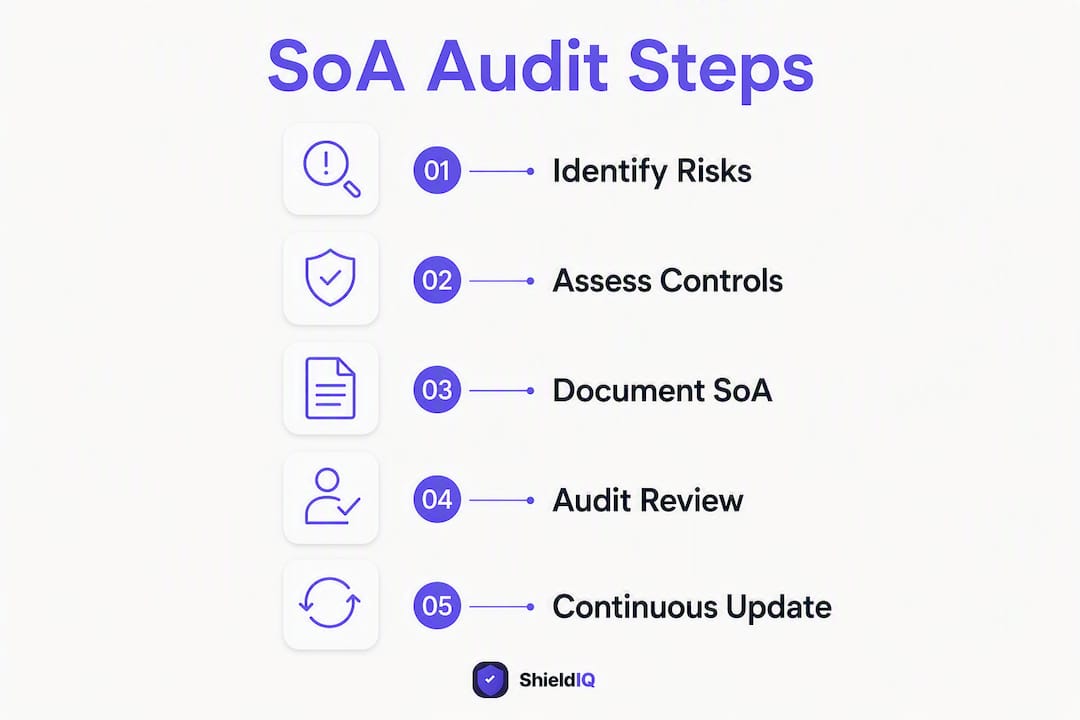
PECB’s guidance on the SoA describes the document as a record that lists every Annex A control alongside applicability, justification, and implementation status, with justifications tracing to a risk, regulation, or contractual requirement. That framing is useful because it positions the SoA as a living management tool, not a one-time filing exercise.
Who actually reads the SoA? Four distinct audiences, each with different needs:
-
Certification auditors use it to plan sampling and to verify that your control environment matches your risk treatment decisions
-
Internal ISMS teams use it to track implementation progress and assign control ownership
-
Senior management use it to make investment decisions about security controls and to understand residual risk
-
Customers and regulators may request it as evidence of your security posture, particularly in supply-chain due diligence
Treating the SoA as paperwork produced for auditors alone is a common mistake. Organisations that use it as a management tool, informing vendor risk reviews and board reporting, get considerably more value from the certification process.
What does ISO 27001:2026 actually require for your SoA?
ISO/IEC 27001:2022 Clause 6.1.3(d) requires the organisation to produce a statement of applicability that contains the necessary controls, justification for their inclusion, whether the controls are implemented, and justification for any Annex A controls that are excluded. The standard is explicit: you must address all controls in Annex A, even if only to document why a particular control does not apply to your organisation.

Annex A contains a set of reference controls organised into four themes: organisational controls, people controls, physical controls, and technological controls. These replaced the controls across various domains in the 2013 edition, so if you are migrating from an older certification, the groupings and labels will look different even where the underlying intent is similar.
A point that catches many first-time implementers: Annex A is a reference set, not a prescriptive checklist. The SC27 auditing practice note on the SoA confirms that auditors accept exclusions provided the justification is transparent, documented, and traceable to a formal risk assessment. You do not have to implement every control. You do have to explain every decision.
The SoA also sits at the centre of a wider document ecosystem:
-
ISMS scope defines the boundary within which controls apply
-
Risk assessment identifies the threats and vulnerabilities that drive control selection
-
Risk treatment plan records treatment decisions and maps them to controls
-
Policies and procedures are the primary evidence artefacts the SoA points to
-
Audit evidence (logs, records, test results) supports Stage 2 verification
Auditors use the SoA at Stage 1 to check that your documented control environment is coherent and complete. At Stage 2, they use it as a sampling frame, selecting rows to test against actual evidence. A well-structured SoA with precise evidence pointers significantly reduces Stage 2 discovery time, because the auditor can follow your own references rather than hunting for artefacts independently.
One critical consistency rule: if your RTP references a control, that control must be marked applicable in the SoA. A mismatch between the two documents is one of the most common major non-conformities auditors raise, and it is entirely avoidable.
What should your SoA contain? Fields and layout
A practical SoA does not need to restate the full control text from Annex A. The SC27 auditing practice note recommends referencing the control and pointing to ISO/IEC 27002 or internal control text and evidence instead. Keep entries concise and traceable.
The table below shows the recommended minimal schema for each SoA row:
| Column | Purpose | Example entry |
|---|---|---|
| Control ref | Annex A reference number and short title | A.8.8 — Management of technical vulnerabilities |
| Applicable | Yes / No | Yes |
| Justification | Risk-based, legal, or contractual reason | Risk RA-2025: unpatched systems are a primary attack vector; PCI DSS contractual obligation |
| Implementation status | Implemented / Partial / Planned | Partial |
| Evidence reference | Document ID, policy title, or record path | Patch Management Policy v2.1; Vulnerability scan report VS-2025-Q3 |
| Control owner | Named role or team | IT Operations Lead |
| Review date / version | Date of last review and SoA version | 14 March / — |
A few notes on specific columns. The justification column is where most SoAs fail. Generic phrases such as “best practice” or “regulatory requirement” are not acceptable. Name the specific risk ID from your risk register, the regulation, or the contract clause that drives the decision. For exclusions, name the organisational condition that makes the control irrelevant.
Evidence references should be resolvable. An auditor must be able to take the reference you provide and locate the artefact without asking you for help. Use document IDs, version numbers, or file paths rather than vague descriptions like “security policies.”
Beyond the row-level content, the SoA itself needs document control metadata on its cover or header:
-
Document title and unique ID
-
Version number and date
-
Document owner (named role)
-
Approval record (name, role, date of sign-off)
-
Change history table (version, date, author, summary of change)
How to write an auditor-ready SoA, step by step
Drafting the SoA is not a standalone task. It is the output of a structured ISMS process, and the quality of your SoA depends directly on the quality of the steps that precede it.
-
Define your ISMS scope. Document the organisational units, locations, processes, and systems within scope. The scope boundary determines which risks are relevant and, therefore, which controls are necessary. A gap analysis at this stage helps you identify where your current control environment falls short before you start populating the SoA.
-
Run or update your risk assessment. Identify assets, threats, and vulnerabilities within scope. Assign likelihood and impact ratings. The output is a risk register with unique risk IDs — these IDs are what you will reference in your SoA justification column.
-
Decide risk treatment options. For each risk, decide whether to treat (implement a control), tolerate, transfer (insurance, contract), or terminate (remove the activity). Record these decisions in your RTP.
-
Map necessary controls to Annex A. For each treatment decision that involves implementing a control, identify the corresponding Annex A control(s). If you use a custom control name, you must demonstrate the mapping to Annex A. Auditors expect this mapping to be demonstrable, not implied.
-
Complete SoA rows with precise justification and evidence pointers. For applicable controls, record the risk ID(s) from your risk register, the implementation status, and the specific evidence artefact. For excluded controls, write a specific exclusion justification (see the template section below for wording examples).
-
Cross-check SoA against RTP. Every control referenced in the RTP must appear as applicable in the SoA. Every SoA row marked “not applicable” must have no corresponding RTP entry. This reconciliation step prevents the most common major non-conformity.
-
Management review and sign-off. The SoA must be approved by management before Stage 1. Record the approver’s name, role, and date in the document control section.
Pro Tip: Build a simple traceability matrix alongside your SoA: a three-column spreadsheet mapping each risk ID to the RTP entry and then to the SoA row. Auditors occasionally ask for this explicitly, and having it ready turns a potential Stage 2 question into a two-minute conversation.
SoA template and example rows you can use now
You can download a ready-to-use SoA spreadsheet template from the ShieldIQ blog, where it is available as a CSV and Excel file. Import it directly into your preferred tool, add your organisation name and ISMS scope to the header, and begin populating rows from your risk assessment output.
The three examples below cover the most common scenarios you will encounter across all 93 controls.
Example 1: Fully applicable control with evidence
| Field | Content |
|---|---|
| Control ref | A.8.8 — Management of technical vulnerabilities |
| Applicable | Yes |
| Justification | Risk RA-2025: unpatched systems identified as primary attack vector in annual risk assessment. PCI DSS contractual obligation. |
| Implementation status | Implemented |
| Evidence reference | Patch Management Policy v2.1 (DOC-042); Vulnerability scan report VS-2025-Q3 (REC-118) |
| Control owner | IT Operations Lead |
Example 2: Legitimately excluded control with specific justification
| Field | Content |
|---|---|
| Control ref | A.8.28 — Secure coding |
| Applicable | No |
| Justification | No in-house software development. All software is procured from managed suppliers and verified via vendor risk assessments (RA-2025-010). Risk assessment entry R-031 confirms no development activity within ISMS scope. |
| Evidence reference | Vendor Risk Assessment Register (DOC-055); Risk Register entry R-031 |
| Control owner | Procurement Manager |
Example 3: Partially implemented control with planned actions
| Field | Content |
|---|---|
| Control ref | A.5.23 — Information security for use of cloud services |
| Applicable | Yes |
| Justification | Risk RA-2025: three critical business systems hosted on AWS and Microsoft Azure; cloud misconfiguration identified as medium risk. |
| Implementation status | Partial |
| Evidence reference | Cloud Security Policy — drafted; Cloud Configuration Review scheduled. |
| Control owner | Cloud Infrastructure Lead |
Migrating from ISO 27001:2013? The 2022 edition restructured Annex A from 114 controls in 14 domains to 93 controls in four themes. Eleven controls are new, several were merged, and the naming conventions changed throughout. ISO/IEC 27002:2022 provides the full mapping table between old and new control numbers. Work through that mapping before updating your SoA, and update your RTP at the same time to keep the two documents consistent.
Pro Tip: When migrating, do not simply rename old controls to new references. Review each merged or restructured control against your current risk assessment to confirm the justification still holds under the 2022 framing.
What auditors look for and how to avoid common findings
The SC27 auditing practice note confirms that auditors use the SoA to plan their sampling at both Stage 1 and Stage 2. A well-maintained evidence pointer for each implemented control significantly reduces Stage 2 discovery time. The inverse is also true: vague or missing pointers mean the auditor must ask for evidence on the spot, which slows the audit and creates opportunities for findings.
Pre-audit checklist — verify these before Stage 1:
-
Document control metadata is complete: version, owner, approval date, and change history
-
Every Annex A control is addressed with no blank rows
-
All justifications are specific and traceable to a risk ID, regulation, or contract clause
-
All evidence references are resolvable (the artefact exists and is accessible)
-
SoA and RTP are consistent: no control is referenced in the RTP but marked “not applicable” in the SoA
-
Implementation status accurately reflects the current state, not the intended future state
-
Management sign-off is recorded with name, role, and date
Three common pitfalls and how to fix them:
Generic exclusion wording. Writing “not applicable to our business” for A.8.28 (secure coding) is not sufficient. Auditors expect you to name the organisational condition. Rewrite as: “No in-house software development; all software procured from managed suppliers, verified via vendor risk assessments RA-2025-010. Risk register entry R-031 confirms no development activity within scope.”
Missing evidence references. Marking a control as “implemented” with no evidence pointer is a frequent Stage 2 finding. Every implemented control needs at least one resolvable reference. If the evidence is a policy, include the document ID and version. If it is a log or record, include the record path or report reference.
SoA/RTP mismatch. If your RTP says you will implement A.8.15 (logging) to treat risk R-018, but your SoA marks A.8.15 as not applicable, auditors will raise this as an internal contradiction. Run a reconciliation check before every audit.
Sample auditor questions and model answers:
“How did you determine that A.8.28 is not applicable?” — “We have no in-house development. All software is procured externally. Risk register entry R-031 documents this, and our vendor risk assessment process (DOC-055) covers supplier software security.”
“Can you show me the evidence for A.8.8?” — “Yes, Patch Management Policy v2.1 is in our document management system under DOC-042, and the most recent vulnerability scan report is REC-118 from Q3 2025.”
How to keep your SoA current: review cycles and change control
A SoA that was accurate at certification but has not been updated since is a liability, not an asset. ISO guidance is clear that the SoA should be reviewed regularly or whenever significant change affects the organisation’s risk profile, operations, or control environment.
Recommended review cadence:
-
Annual review tied to your management review and periodic risk assessment cycle
-
Triggered review whenever one of the following events occurs: new product or service launch, acquisition or merger, cloud migration or significant infrastructure change, new supplier with access to in-scope systems, new regulatory or contractual obligation, or a security incident that reveals a control gap
Change control table — minimum columns:
| Column | Purpose |
|---|---|
| Change ID | Unique reference for the change record |
| Date | Date the change was made |
| Author | Name and role of the person making the change |
| Description | Brief summary of what changed and why |
| Impacted controls | Annex A control references affected |
| Approval | Name, role, and date of approver |
| Archive pointer | Location of the previous SoA version |
Retention and archival. Keep every prior version of the SoA. Auditors conducting surveillance or recertification audits may request previous copies to verify that changes were properly controlled and that the document has been maintained continuously. Store archived versions in a named location (for example, a document management system folder or a version-controlled repository) and record that location in the archive pointer column above.
A practical approach for SMEs: use a version-controlled spreadsheet or a GRC platform that maintains automatic version history. Manual version management works, but it introduces the risk of overwriting prior versions accidentally.
Proportionate SoA guidance for EU SMEs
The 93-control scope of Annex A can feel daunting for a small team. The good news is that proportionality is built into the standard. You are not required to implement every control, and you are not required to write a separate justification for every single row if multiple controls share the same underlying rationale.
Grouping controls sensibly. Where several controls in the same Annex A theme share a single risk driver and a single policy document as evidence, you can reference the same risk ID and policy across all of them. The key requirement is that each row still has its own applicability decision and its own evidence pointer. Grouping the justification narrative is acceptable; collapsing rows is not.
Cloud-first and third-party environments. Many EU SMEs run almost entirely on cloud infrastructure and outsourced services. For these organisations, the SoA needs to show how outsourced responsibilities are handled:
-
Record the cloud provider’s shared responsibility model in the justification column for relevant controls (for example, A.8.9 — Configuration management)
-
Reference supplier attestations (ISO 27001 certificates, SOC 2 reports, or contractual security schedules) as evidence for controls where the provider carries primary responsibility
-
Use your information security policy to document your own obligations within the shared model
Lightweight evidence appropriate for SMEs:
-
Policy documents with version numbers and approval records
-
Supplier ISO 27001 certificates or SOC 2 Type II reports (with download date noted)
-
Change logs from your IT service management tool
-
Meeting minutes from management reviews that reference specific controls
-
Screenshots or exports from cloud security dashboards (AWS Security Hub, Microsoft Secure Score)
Control ownership in small teams. In a ten-person company, one person may own fifteen controls. That is fine, provided ownership is documented and the owner understands their responsibilities. Avoid assigning all controls to “IT” as a generic label. Name the role, and where possible, the individual.
If your organisation has EU regulatory obligations beyond ISO 27001, such as GDPR data protection requirements or NIS2 obligations, these create mandatory inclusions in your SoA. Privacy-related controls under A.5.34 (privacy and protection of personally identifiable information) and related technological controls become applicable by virtue of legal obligation, regardless of your risk assessment outcome.
How ShieldIQ accelerates SoA creation and audit readiness
Building and maintaining a SoA manually, across 93 controls, with consistent evidence references and version control, is time-consuming. For an SME without a dedicated security team, it is also where mistakes tend to accumulate.
ShieldIQ’s ISO 27001 compliance platform addresses the SoA workflow directly:
- Gap analysis — identifies controls that are marked applicable but have no evidence attached, so you can close gaps before Stage 1
The workflow in practice: a risk is identified in ShieldIQ’s risk register, assigned a risk ID, and linked to a treatment decision in the RTP. The platform maps that treatment decision to the relevant Annex A control and creates the corresponding SoA row. You attach the evidence artefact, record the implementation status, and the row is audit-ready. The entire traceability chain, from risk ID to control to evidence, is maintained automatically.
Pro Tip: Use ShieldIQ’s gap analysis report as your pre-audit checklist. Run it two weeks before Stage 1 and use the output to prioritise any remaining evidence gaps. It is faster than manually cross-referencing a spreadsheet SoA against your document library.
ShieldIQ is published by the same team that produced this article. The platform is designed specifically for SMEs across the EU and Ireland navigating ISO 27001, NIS2, GDPR, and related frameworks without a full-time security function.
Key takeaways
The statement of applicability is the audit’s primary reference document: every Annex A control must be addressed, every justification must trace to a risk or obligation, and every implemented control must carry a resolvable evidence pointer.
| Point | Details |
|---|---|
| Address all Annex A controls | Every Annex A control needs an applicability decision and a specific justification, even exclusions. |
| Reconcile SoA with RTP | Any control referenced in your risk treatment plan must be marked applicable in the SoA, or auditors will raise a non-conformity. |
| Use precise evidence references | Each implemented control needs a document ID, version, or record path that an auditor can locate without asking. |
| Review annually and after significant change | Tie your SoA review to the management review cycle and update it after any infrastructure, supplier, or regulatory change. |
| ShieldIQ automates the traceability chain | ShieldIQ maps risk IDs to Annex A controls, links evidence, flags RTP mismatches, and exports audit-ready SoA reports for EU SMEs. |
The SoA is a strategic document, not a filing exercise
The most persistent mistake I see in ISO 27001 implementations is treating the SoA as something you produce once, file away, and retrieve only when an auditor asks for it. Organisations that take that approach almost always arrive at Stage 1 with a document that no longer reflects their actual control environment, because the business has changed and the SoA has not.
The SoA’s real value is as a live map of your security posture. When a new supplier comes on board, the SoA should prompt a review of relevant controls. When a cloud migration happens, the SoA should be updated before the migration completes, not six months later. When management asks whether the organisation is exposed to a newly publicised threat, the SoA is where you start the answer.
There is also a subtler point about exclusions. Many implementers treat excluded controls as a way to reduce workload, and they write vague justifications to avoid scrutiny. Auditors see this immediately. A well-argued exclusion, with a named organisational condition and a traceable risk register entry, is not a weakness in your ISMS. It is evidence of a mature, proportionate approach to risk management. The organisations that get this right tend to have shorter, smoother audits, because the auditor can see that every decision was deliberate.
ShieldIQ makes your SoA audit-ready from day one
Producing a compliant, evidence-linked SoA across all 93 Annex A controls is the kind of work that takes weeks when done manually in a spreadsheet, and it is the kind of work where small errors create large audit findings. ShieldIQ removes that friction for EU and Irish SMEs by automating the control mapping, evidence linking, and RTP reconciliation that underpin a defensible SoA.
The platform generates exportable, audit-ready SoA reports with full version history, approval records, and evidence pointers already in place. If you need hands-on support, ShieldIQ’s consulting and audit preparation services include Virtual CISO engagements and direct SoA drafting assistance. Whether you are preparing for your first Stage 1 or maintaining certification through a surveillance audit, the platform gives you a clear, traceable record that auditors can follow without asking questions. Book a demo or explore the platform at shieldiqcyber.com.
Useful sources and further reading
The sources below are the primary references for this article. When in doubt, prioritise the ISO standard and the SC27 auditing practice note over any secondary guide.
-
ISO/IEC 27001:2022 — Information security, cybersecurity and privacy protection — Requirements — the definitive standard; Clause 6.1.3(d) and Annex A are the mandatory SoA references
-
ISO/IEC JTC 1/SC 27/WG 1 N3298 — Auditing practices note on the Statement of Applicability — the SC27 working group’s guidance on how auditors use and evaluate the SoA
-
ShieldIQ blog — templates, guides and further ISO 27001 resources — downloadable SoA template and related ISMS guidance for EU SMEs